
Team registration and payments without the chasing
Registration season is when everyone starts chasing. Coaches chase receipts and roster forms. Directors chase payments, birth certificates and the one team that swears it mailed a check. Parents chase the coach for the waiver link.
Here's how registration should run for each side, and how GamedayHawk keeps it in one place.
For coaches: register once, keep your team's record
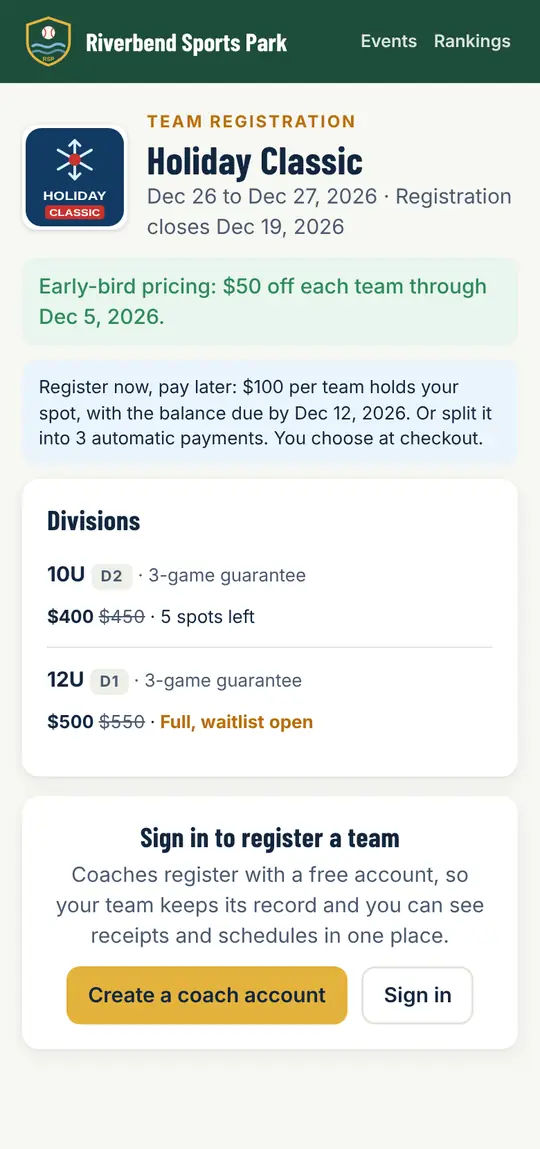
Open the event page and press Register a team. A free coach account keeps your team's name, record, receipts and schedules together, so next time you're a few taps from done.
- Register several teams in one checkout
- Pay by card or bank account
- Pay in full, pay a deposit now and the balance later, or split it into automatic payments when the organizer allows it
- Use an early-bird price or a discount code at checkout
- Join a waitlist when a division is full
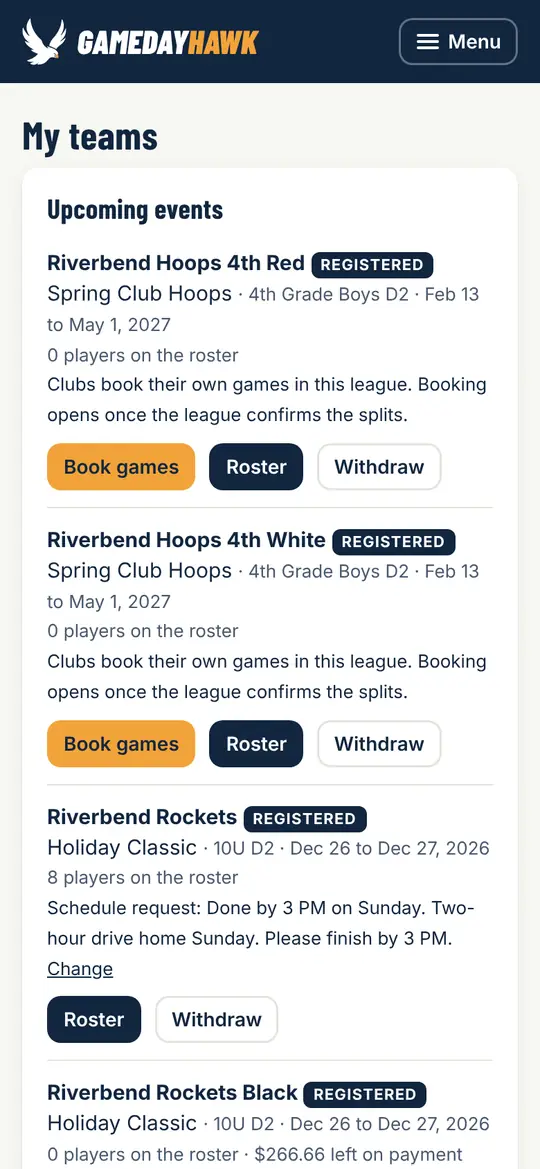
- Send a schedule request, like done by 3 PM Sunday for a long drive home
Your confirmation and receipts come by email. Balances, payment plans and any extra charges from the director, like an umpire fee, all live under My teams, where you can pay them from your phone.
Rosters and waivers from one link
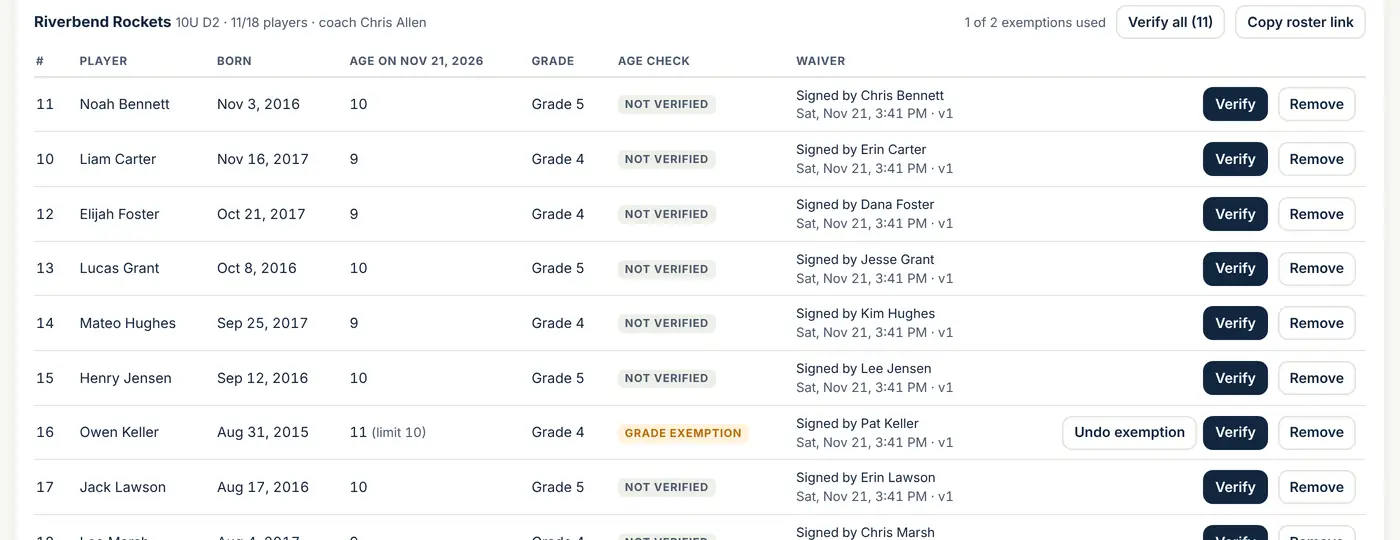
Retyping a roster for every event is busywork. In GamedayHawk the coach shares one roster link. Each parent adds their athlete with a birth date and signs the organization's waiver right there. The organizer can set a roster size limit, and an athlete can only be on one team per event.
Parents who make an account keep their athlete's details for next time, so the second event takes a minute.
Age checks before game day, not at the gate
A division named 12U, U10 or Under 12 gets that age limit automatically, checked against a cutoff date. Every roster carries a flag for each player:
- Verified: the organizer checked proof of age
- Needs review: older than the division allows
- Grade exemption: over age, approved by the organizer
- Not verified: age looks fine, proof not checked yet
Directors can verify one player or a whole team, cap grade exemptions per team, and undo an exemption. Coaches never see players' birth dates, and nothing about athletes appears on public pages.
For directors: see who owes, in one place
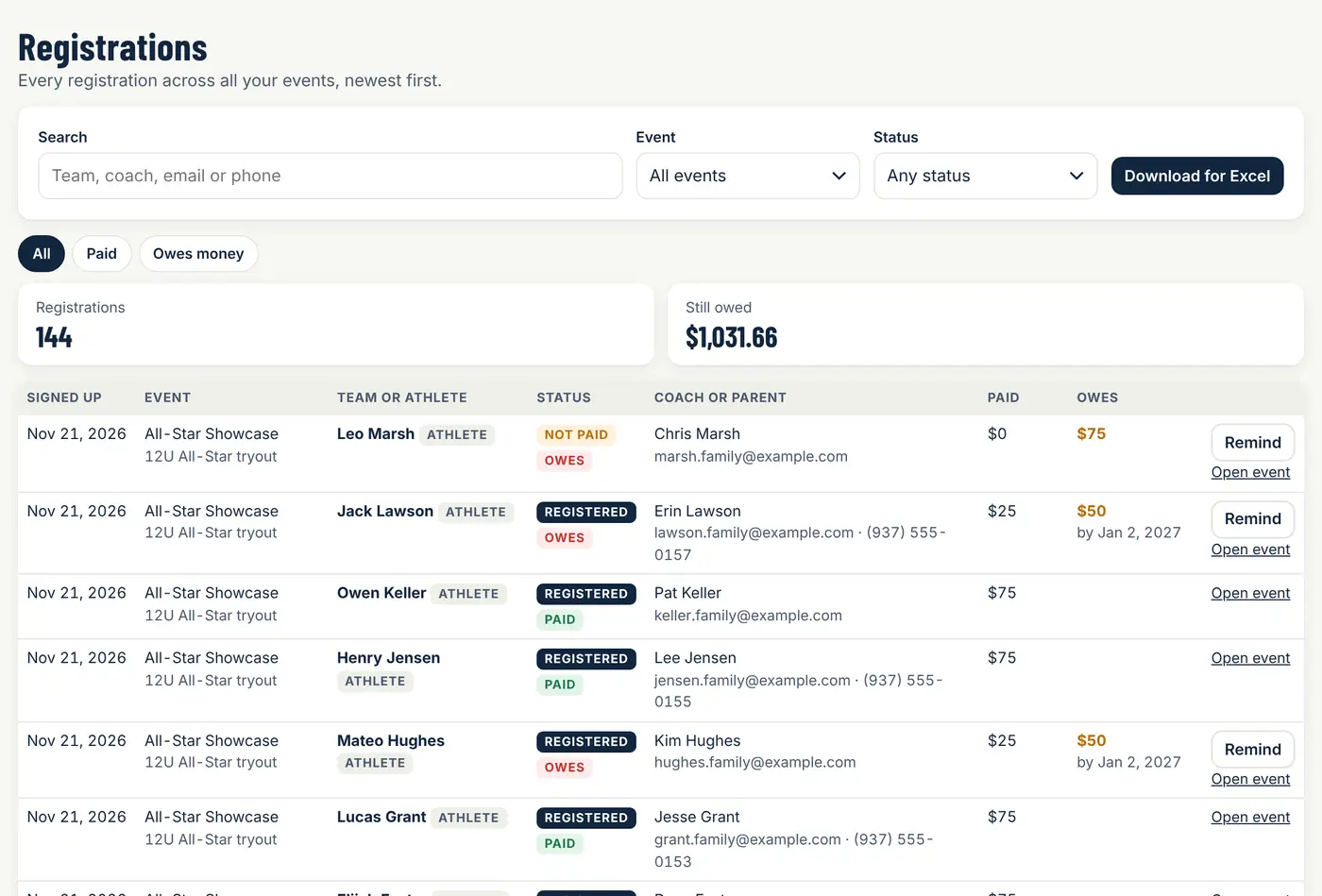
The Registrations page lists every registration across every event, newest first, with Paid and Owes money tabs, search, filters and a total still owed. Send a reminder to one team or remind everyone who owes at once. Reminders include the amount, due date and a link to pay.
- Record cash or check payments, so the books match what's in your hand
- Add a charge to a team, like a late fee, and the coach pays it online
- Mark a division sold out, or let it fill a waitlist and offer spots as they open
- Ask coaches your own questions at sign-up and see the answers in the download
Money that matches your bank
Payments land in your connected bank account. The Reports page breaks every deposit down by event, division and team, with refunds and processing fees shown, and downloads to Excel for your bookkeeper. You can also get a payments summary by email each morning.
Once teams are in, it's time to build the weekend. Read how to schedule a youth sports tournament.
Questions
Can teams pay by bank account as well as card?
Yes. Coaches can pay by card or bank account, and the organizer can offer deposits, pay-later balances with a due date, or automatic payment plans.
How do waivers work?
The coach shares one roster link. Each parent adds their athlete and signs the organization's waiver there, and the director sees who has signed.
How does GamedayHawk check player ages?
Each division has an age limit checked against a cutoff date. Players older than the limit are flagged for the director to review, approve as a grade exemption, or remove, and the director can mark proof of age as verified.
Can I see every team that still owes money?
Yes. The Registrations page has an Owes money tab across all events, with reminders for one team or all of them at once.