
How to schedule a youth sports tournament without the spreadsheet
Most tournament schedules are built the same way: a spreadsheet, a pot of coffee and a late night the week before the event. It works until a coach asks for a later start, a field closes, or you notice the same team playing at 9:00 on Field 2 and 9:30 on Field 4. Then you start over.
Here is a cleaner way to schedule a youth sports tournament, step by step, and how GamedayHawk handles each part so the schedule is right before anyone sees it.
Where tournament schedules usually break
Ask any director and you'll hear the same short list:
- A team booked in two places at once
- Too little rest between a team's games, or four games in one day
- Two games on one field at the same time
- A bracket game set before the games that feed it
- A half-finished change that went out to families before it was ready
Every one of those is a rule a computer can check. The goal is to let software catch them, so your judgment goes into the calls only a director can make.
Step 1: Set up fields, divisions and the hours you really have
Start with what doesn't change. Add your complex and its fields or courts once, with addresses, parking notes and whether a field has lights. Each event then picks the fields it uses and the playable hours for each day.
Next come divisions. In GamedayHawk you add each one (say, 12U D1) with its fee, size and game guarantee. A guarantee like three games each saves you from a full round robin when a division runs big. Then bring in teams one at a time or import them from a spreadsheet, and press Spread teams evenly to fill the pools. Seeds are respected when you've set them, and sister teams from the same club stay apart in pool play.
Teams keep one identity across your events, so a team that played your spring opener is already in the system for the fall classic.
Step 2: Write your rules down before you place a game
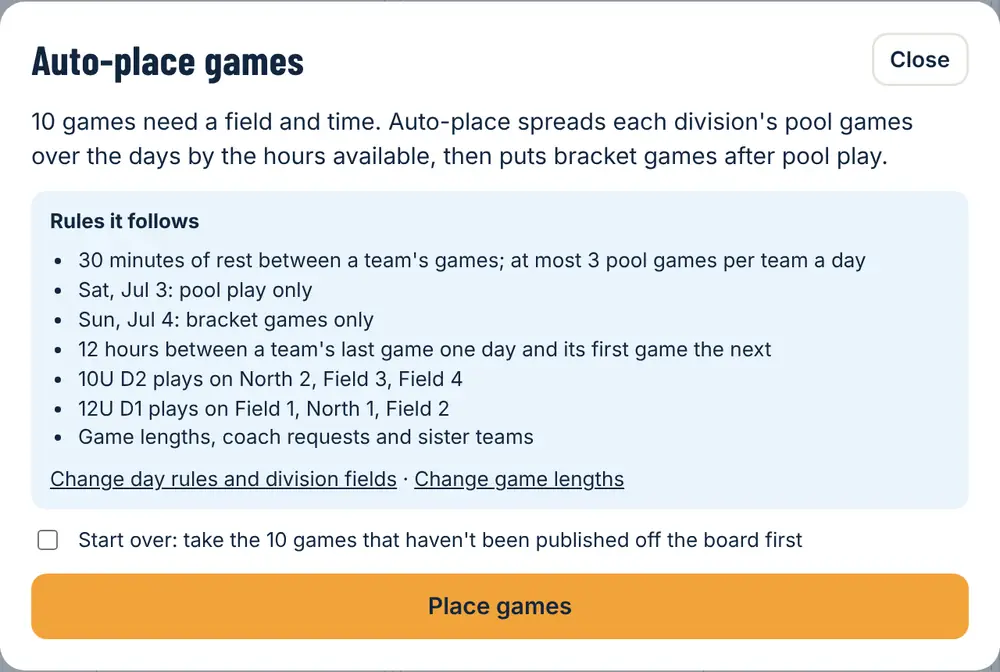
Most of the work in a schedule is following rules you already carry in your head. Put them where the software can see them:
- Minimum rest between a team's games
- Most pool games per team in one day
- Pool play on Saturday, brackets on Sunday
- Which fields each division plays on
- Hours of rest between a team's last game one day and its first game the next
- Coach requests, like no games before 10 AM Saturday
Step 3: Let the board build the first draft
With rules in place, press Auto-place. It puts every unscheduled game inside your playable hours, spreads each division's pool games across the days, and puts bracket games after pool play. Games you've already published never move.
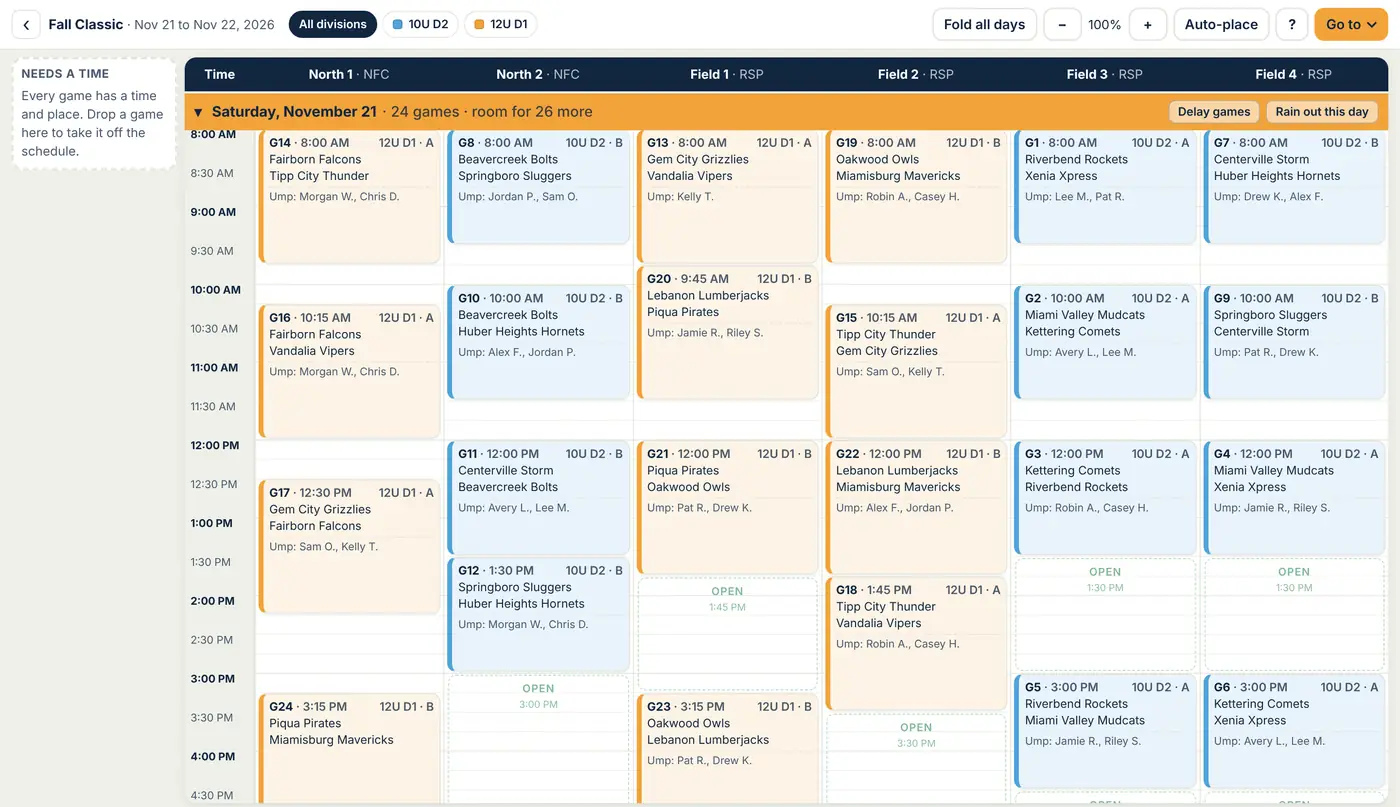
Then make it yours. The schedule board shows each field as a column with time running down the page. Drag a game to a new field or time, or drag its top or bottom edge to change its length. While you hold a game, that team's other games light up red, so you can see its rest time at a glance. Open slots are marked, and games from your other events on the same fields show in gray so two events never collide.
The board also flags problems as you work: a team in two places, too little rest, too many games in a day, a double-booked field, or a bracket game ahead of its feeders. You can fix it, or keep it if you meant it.
Step 4: Review, then publish
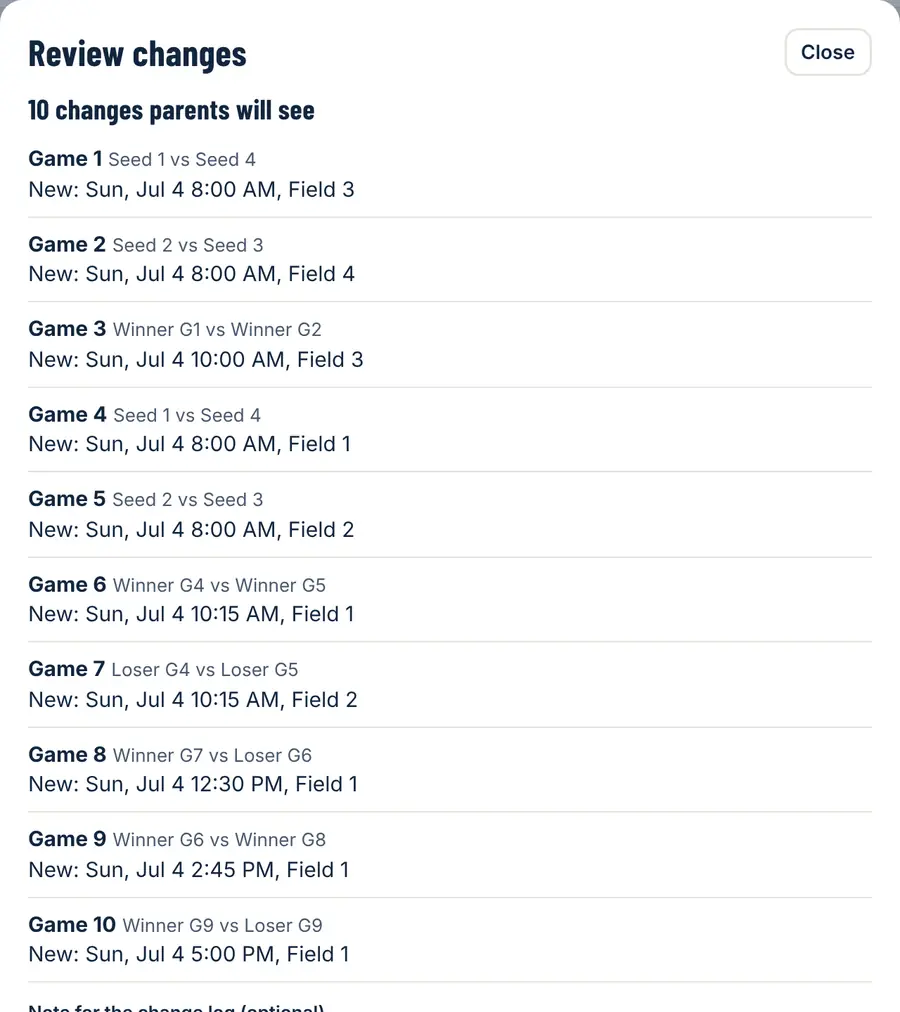
This is the step most schedules skip. In GamedayHawk, everything you change is a draft until you press Review and publish. You get a plain list of every change parents will see, and nothing reaches families until you publish it.
After you publish, the public schedule updates right away. A game that moved is marked Changed, with the old time crossed out, and the coaches and families following that team hear about it. More on that in the schedule parents can find.
Step 5: Let the brackets fill themselves
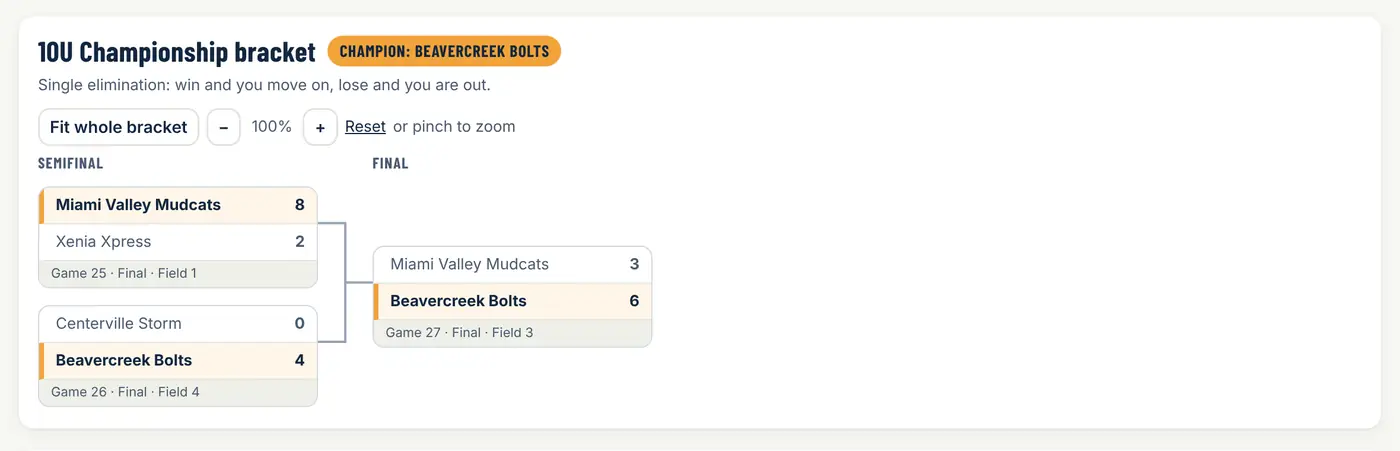
Add a single or double elimination bracket for any division, from 2 to 64 teams. When pool play ends, press Fill seeds from standings, or set seeds yourself. Winners move on the moment a final score goes in. If you correct a score later, the games after it update too, and any result that no longer stands is cleared.
Next year, start from this year
When the weekend's over, copy the event to new dates. Divisions, fees, pools, bracket formats, fields and playable hours come along. Teams and games don't, so you start clean with none of the setup work.
A quick checklist
- Fields, divisions and hours entered
- Rest, daily limits, day rules and division fields set
- Coach requests in
- Auto-place, then adjust on the board
- Warnings cleared or accepted on purpose
- Review and publish
- Share the link and print the QR poster for the gate
When weather gets involved, the same board handles delays. See how to handle rain delays and rainouts.
Questions
Can GamedayHawk build the tournament schedule for me?
Yes. Auto-place puts every unscheduled game on a field and time inside your playable hours and follows your rules for rest, games per day, pool and bracket days, division fields, coach requests and sister teams. You can then drag anything you want changed.
Does it handle double elimination brackets?
Yes. Each division can have a single or double elimination bracket for 2 to 64 teams, seeded from pool standings or by hand.
Can I run two events on the same fields the same weekend?
Yes. Games from your other events show in gray on the board, and the board warns you before two games land on one field at once.
Which sports can I schedule?
Baseball, softball, basketball, soccer, volleyball, football, flag football, 7v7, lacrosse, ice hockey and field hockey. Each sport has its own scoring, standings and tie rules.