
One link, any phone
Open it from a text, a QR poster at the gate, or the organization's website. Nothing to download.
Every GamedayHawk event has one page that opens on any phone. No app, no account, and when a game moves, you see it.
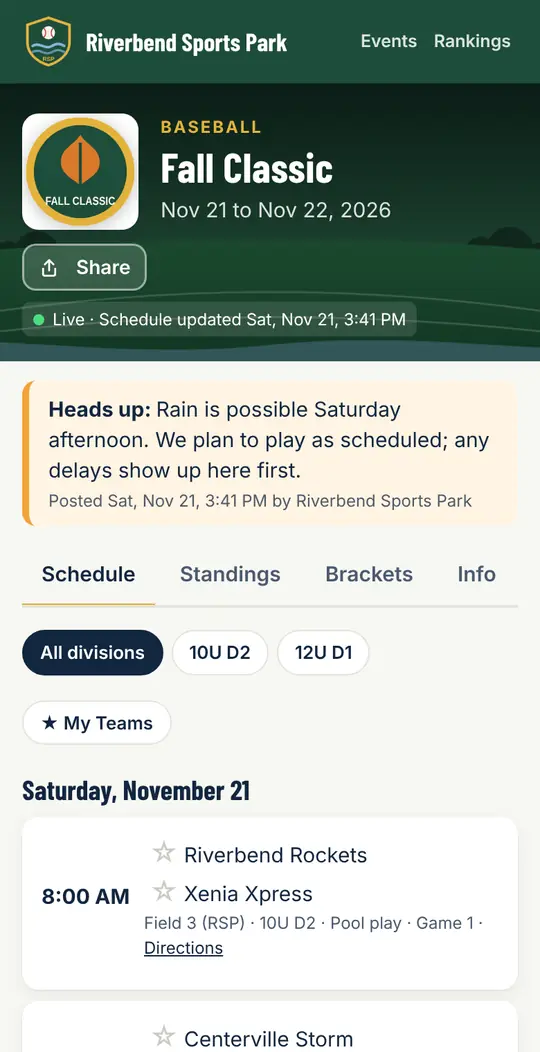
Open it from a text, a QR poster at the gate, or the organization's website. Nothing to download.
Your team's games stay at the top. Scores and changes show up without a refresh, and every game has a Directions link.
Pool standings update with every final, and the page lists exactly how ties are broken, in order.
Your coach sends one link. Add your athlete, sign the waiver, and a parent account keeps it for next time.
When play stops, the director's notice sits at the top of the event page, so it's the first thing you see.
Public pages show teams, games, scores and standings. Athletes' names and birth dates stay with the organization.
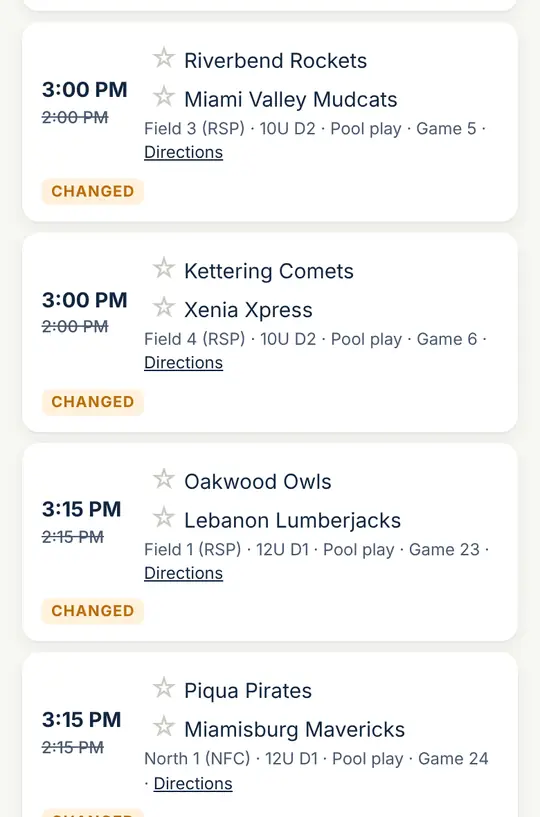
Moved games are marked Changed, with the new time and field first and the old ones crossed out. Directors publish changes when they're ready, so you never see a half-finished schedule.
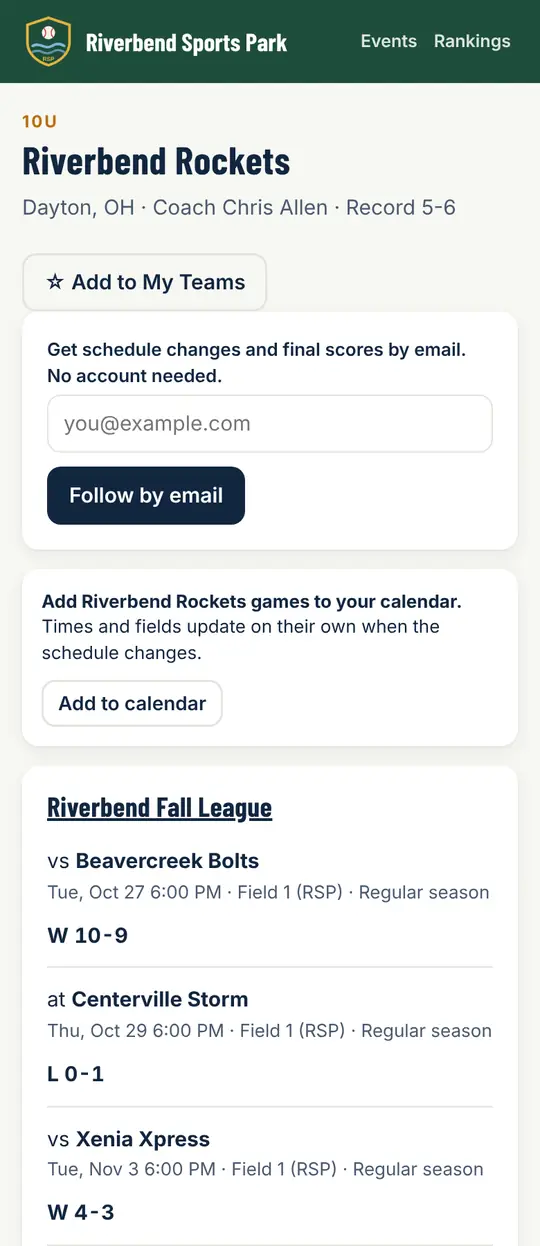
Follow a team by email to hear when games move and when scores go final, no account needed. Or add the games to iPhone or Google Calendar, and they update on their own.
No. The event page opens in any phone or computer browser from a link or a QR code. There's nothing to install.
No. Viewing the schedule, scores and standings, starring a team and following it by email all work without an account. A parent account is only needed to register an athlete, sign waivers or get text alerts.
Moved games are marked Changed with the old time crossed out. If you follow your team by email you'll hear about changes and final scores, and the team's calendar feed updates itself.
No. Public pages show teams, games, scores and standings. Athletes' names and birth dates stay with the organization.
Send this page to your tournament director or league office. GamedayHawk is coming soon, and early access is open now for the organizations that run events.
Get early access