
The tournament schedule parents can find: no app, no account
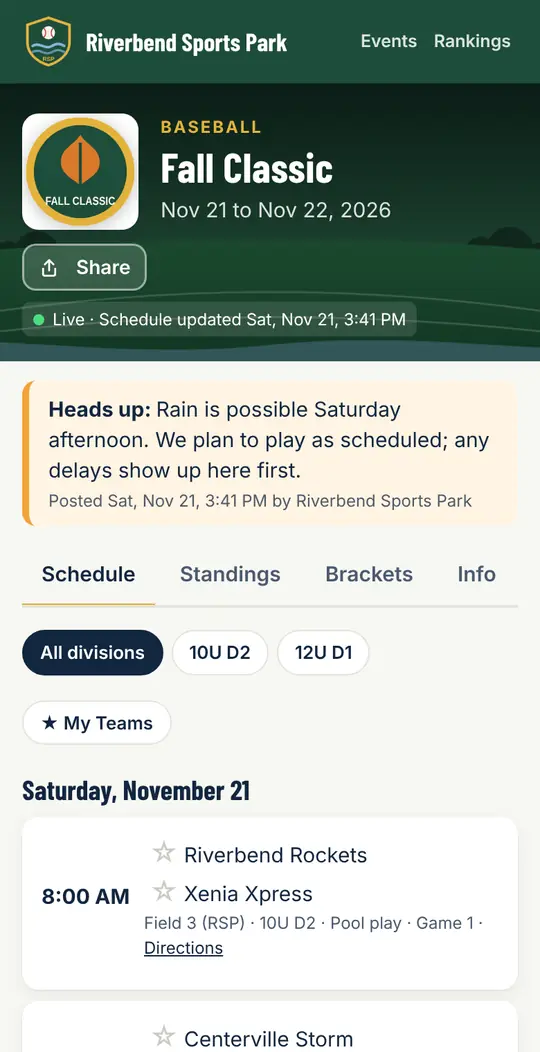
It's 7:40 on a Saturday morning. You're in a gravel lot with a cooler, two folding chairs and a kid asking which field. The schedule you screenshotted on Wednesday says 8:00 on Field 3. A parent from the other team says it moved. Nobody is sure.
That moment is why GamedayHawk exists. Here is what a tournament schedule should do for parents, and how ours does it.
What parents put up with now
If you've spent a few seasons in the bleachers, this list will sound familiar:
- Download an app for one weekend, then make an account to see one team
- Scroll past ads to find a game time
- Refresh, and refresh again, to see if a score posted
- Trust a screenshot in the team group chat that went stale an hour ago
- Guess how your team is seeded, because nobody explains the tiebreakers
One link that's always right
Every GamedayHawk event has one public page. The director shares it as a link, a text, or a QR poster at the gate and the concession stand. It opens on any phone or computer. There's nothing to download and no account to make.
Tap the star next to your team to keep its games at the top under My Teams. The page updates live, so a new score or a moved game shows up without a refresh. Every game lists its field and complex, with a Directions link that opens your map app.
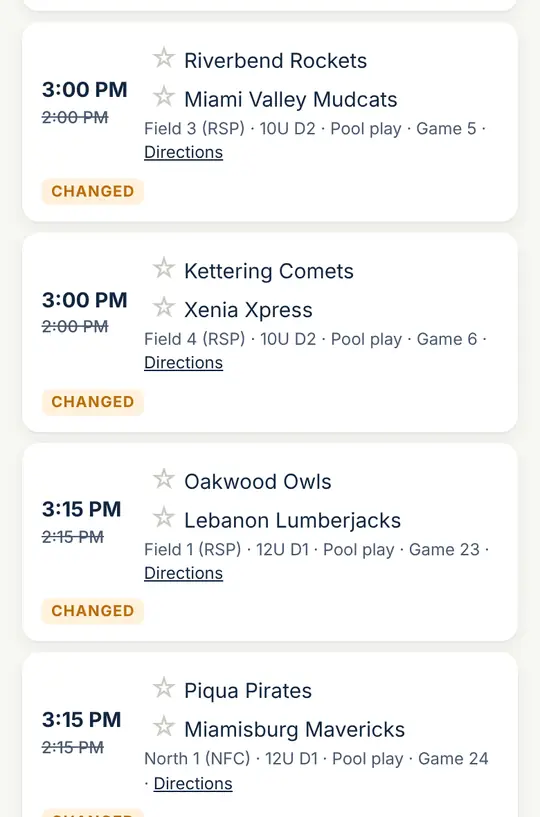
When a game moves, you see it
Directors make changes in a draft and publish them when they're ready, so you never see a half-finished schedule. When a published game moves, it's marked Changed. The new time and field show first, and the old ones are crossed out, so you know at a glance it isn't a typo.
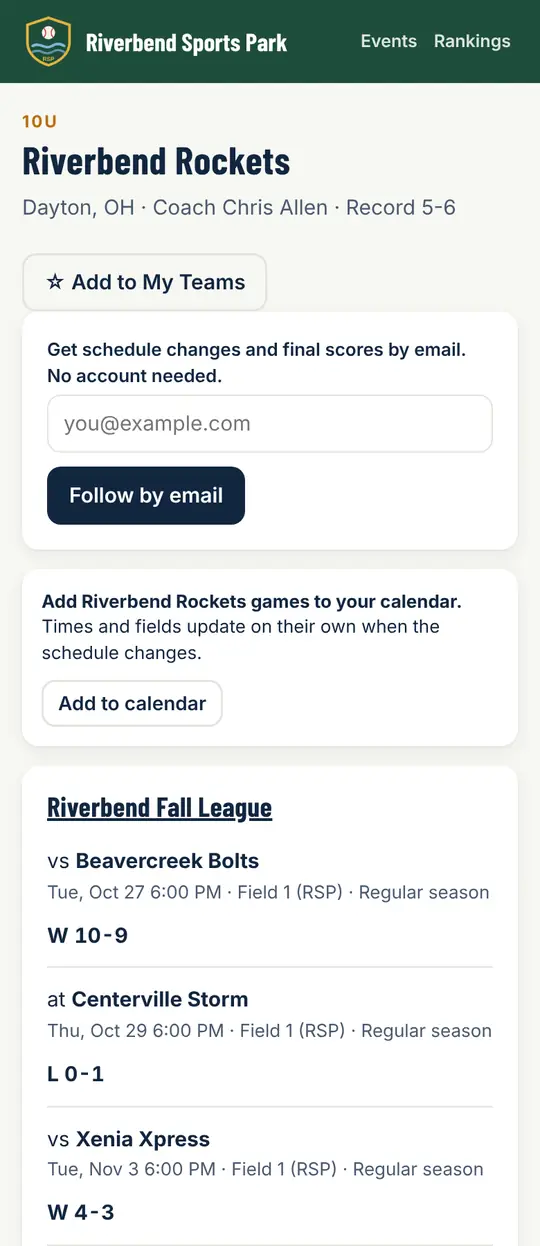
Want a heads-up without checking? Open your team's page and follow it by email. You'll hear when a game moves and when scores go final, with a link to stop in every email. No account needed. Families with a parent account can choose text alerts too.
Put the games in your calendar, and let them update
On your team's page, press Add to calendar and pick iPhone, Google Calendar or a file. Times and fields update on their own when the schedule changes. Calendar apps only check every few hours, so on game day the event page is always the most current, but for planning the week it's hard to beat.
Standings that show their work
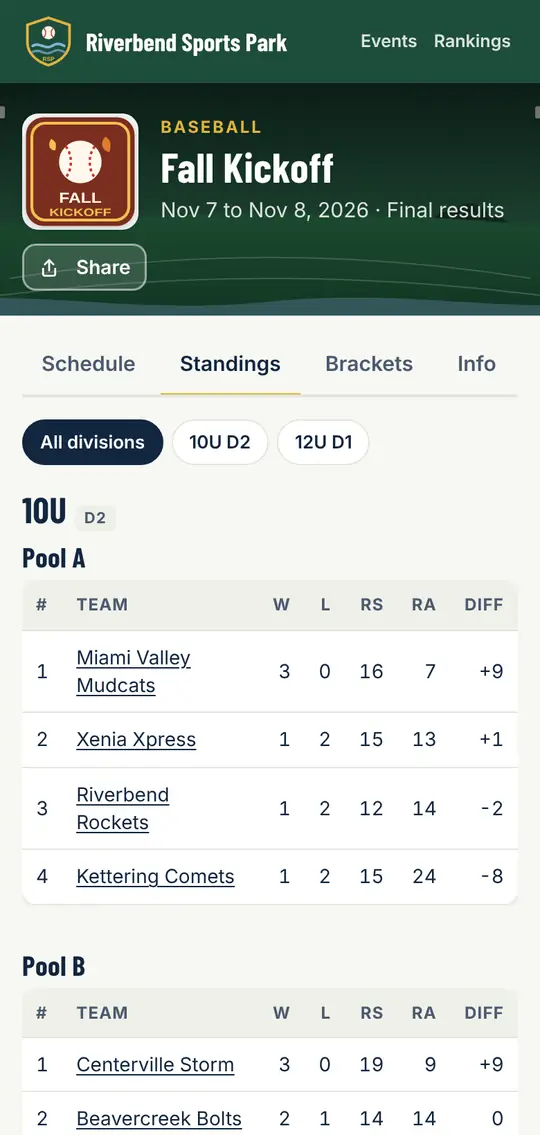
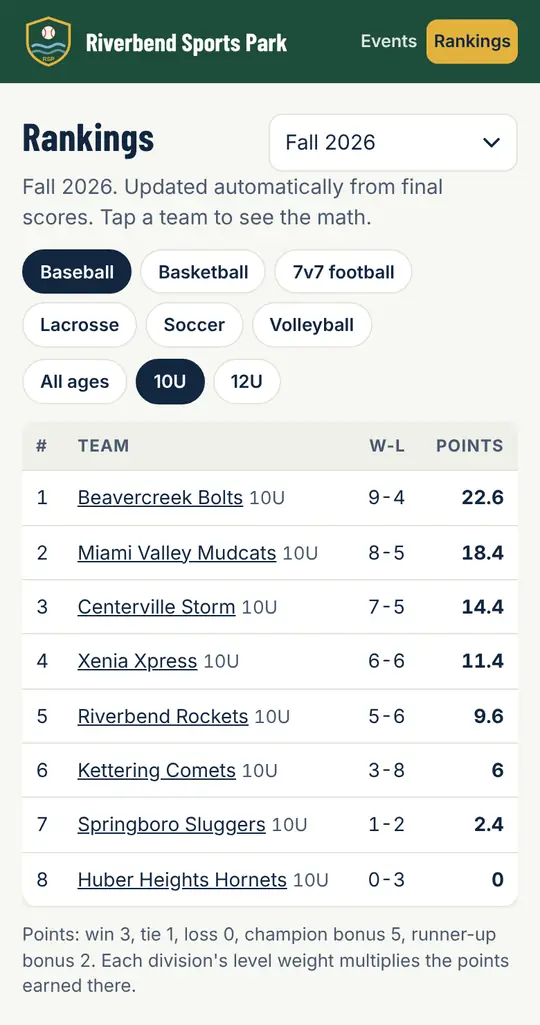
Few things start more bleacher arguments than seeding. GamedayHawk updates pool standings the moment a final is entered, and the public page lists exactly how ties are broken, in order: head-to-head, run or goal differential, fewest allowed, and so on, as the director set them.
Season rankings go one step further. Tap any team and you'll see exactly how its points were earned.
What parents never see
Public pages show teams, games, scores and standings. They don't show kids. Athletes' names, birth dates and roster details stay inside the organization, and coaches never see players' birth dates at all. For parents who sign up for an all-star game or tryout, the athlete stays off the public pages; only the team they're placed on appears.
For directors: fewer "what time do we play?" questions
Every question a parent can answer from the event page is one you don't answer at the gate. One link, a QR poster, live updates and clear standings add up to a quieter weekend. To see how the schedule itself gets built, read how to schedule a youth sports tournament.
Questions
Do parents need to download an app to see the tournament schedule?
No. The event page opens in any phone or computer browser from a link or a QR code. There's nothing to install.
Do parents need an account?
No. Viewing the schedule, scores and standings, starring a team and following it by email all work without an account. A parent account is only needed to register an athlete, sign waivers or get text alerts.
How do parents find out when a game moves?
Moved games are marked Changed with the old time crossed out. Families who follow a team by email hear about changes and final scores, and the team's calendar feed updates itself.
Are kids' names shown on public pages?
No. Public pages show teams, games, scores and standings. Athletes' names and birth dates stay with the organization.